Configure the GitHub authentication provider
The first thing to do is to configure the OAuth2 Provider and obtain Client ID and Client Secret keys.
Configure the GitHub IDP
-
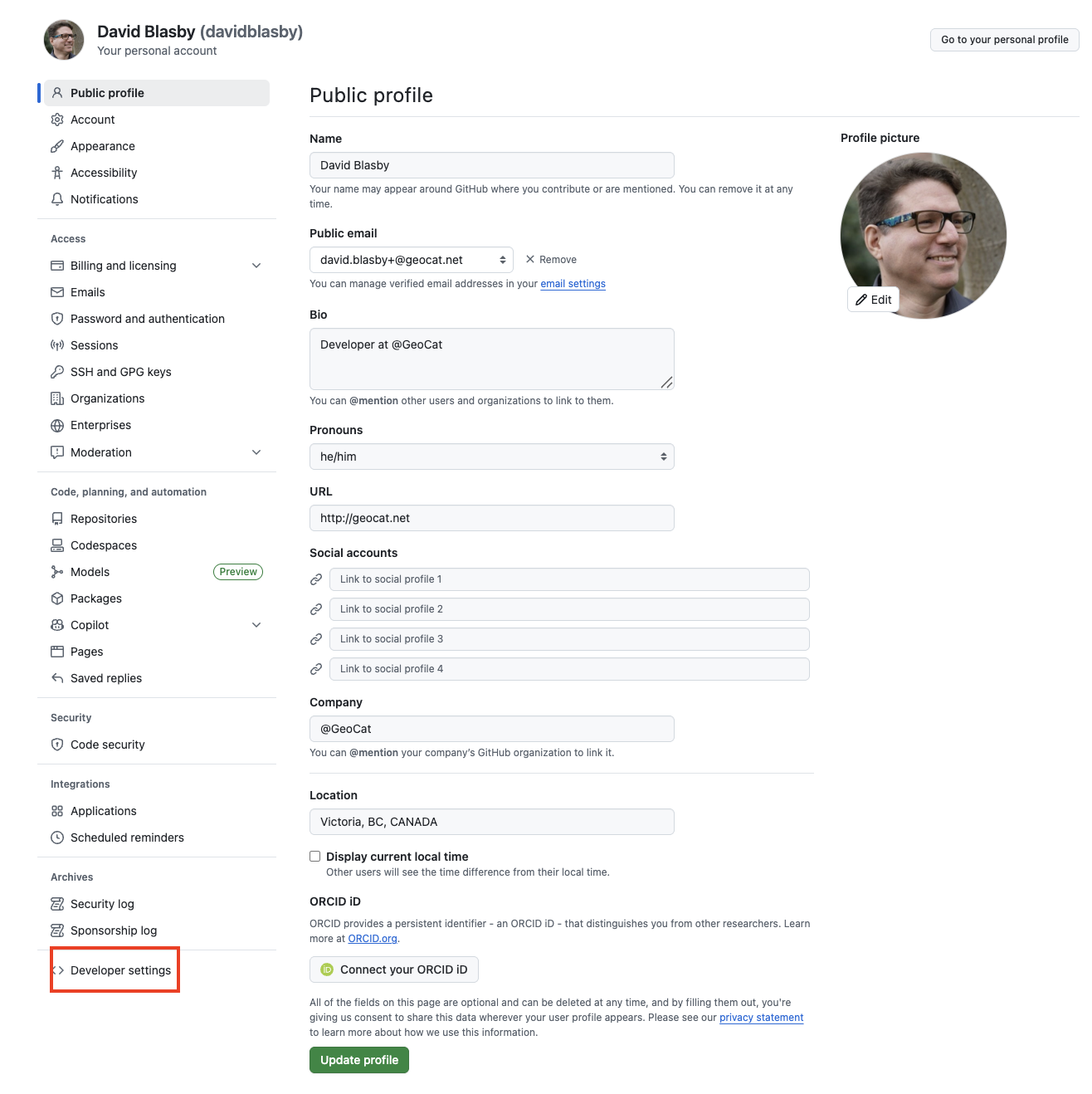
Go to your GitHub settings
-
At the very bottom of the left bar, click "<> Developer Settings"
-
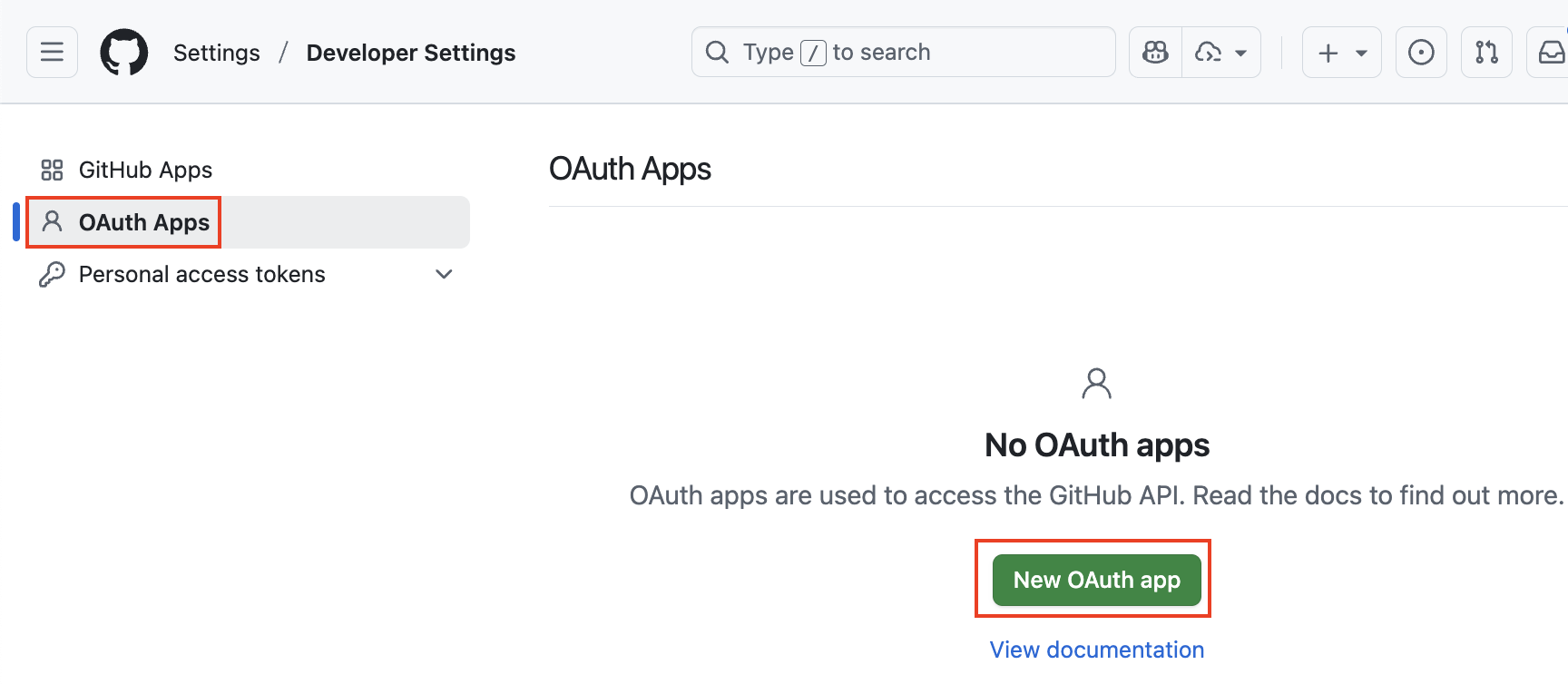
On the left, press "OAuth Apps" and then "New OAuth app"
-
Give the application:
- A name (i.e. "gs-app")
- The homepage of the geoserver (i.e. "http://localhost:8080/geoserver")
- The authorization callback shown as the read-only Redirect URI field of the GeoServer filter configuration form, in the form of "http://localhost:8080/geoserver/web/login/oauth2/code/
__gitHub" (replace <filterName>with the name of the GeoServer OIDC filter, e.g.gs-app__gitHub) - Press "Register application"
Tip
The exact callback URL that GeoServer will use is shown as the read-only Redirect URI field in the filter configuration form --- copy it verbatim. In production, use that value instead of
localhost. The filter-name prefix lets several OIDC filters share an IDP without colliding on their redirect URIs. See Redirect Base URI.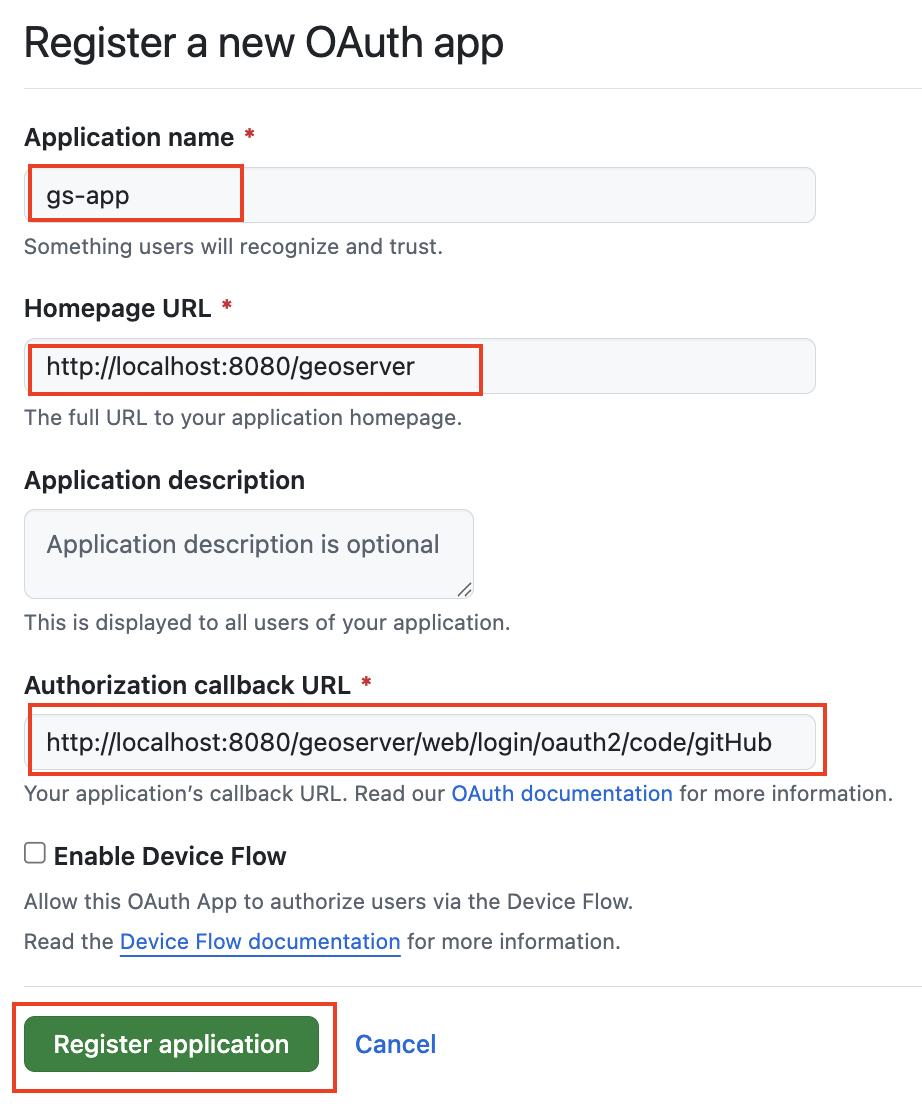
-
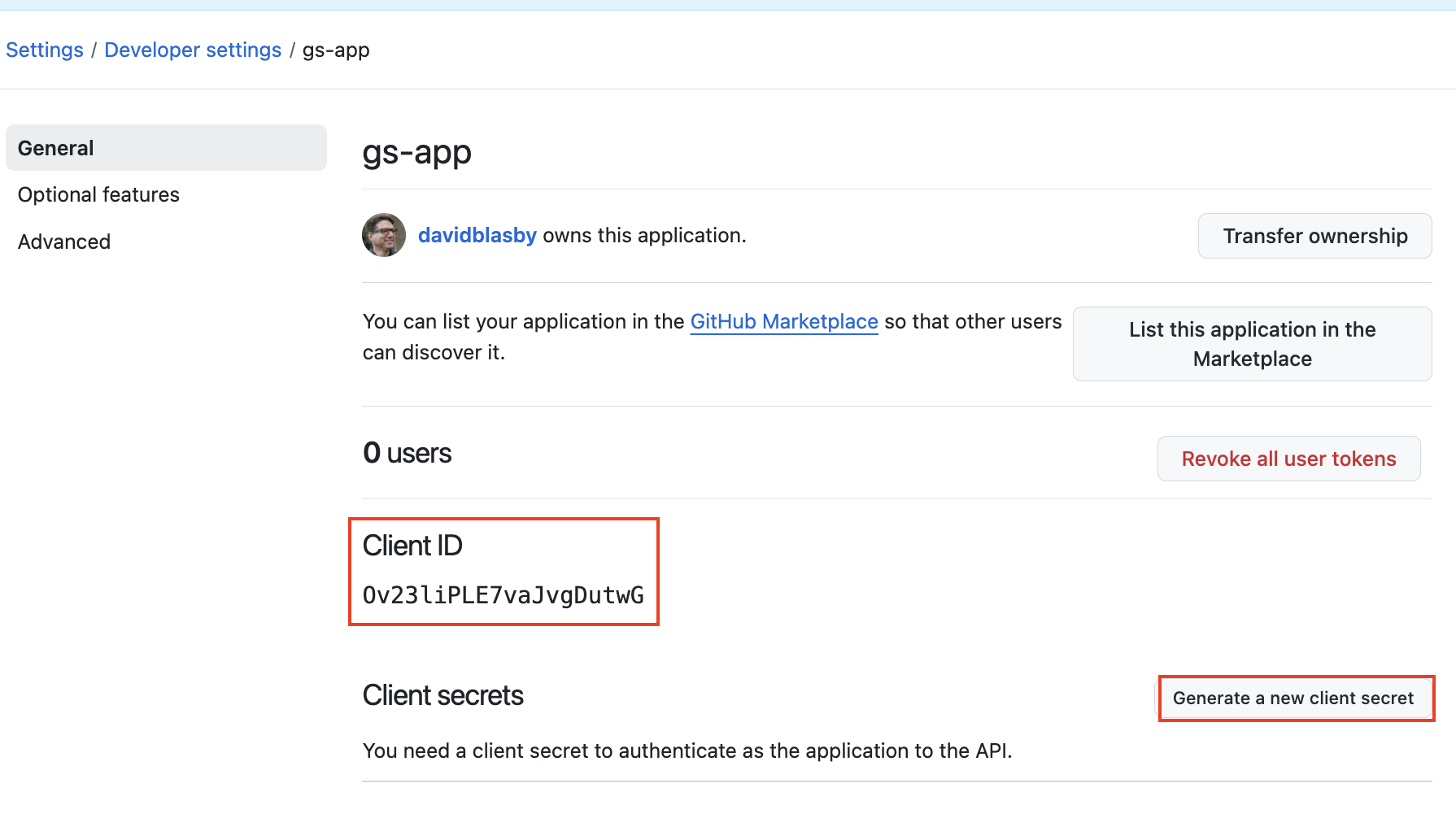
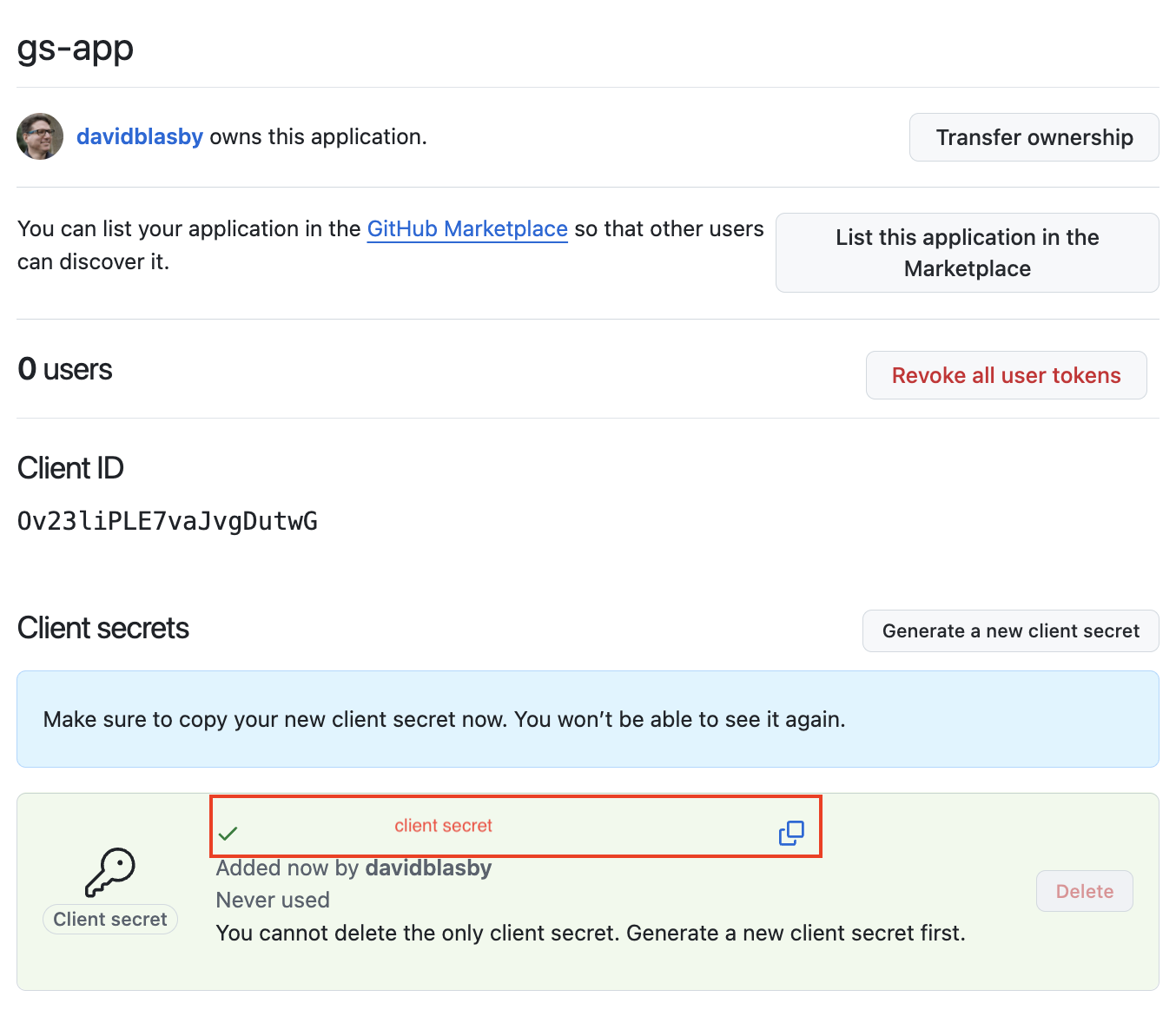
You will be taken to the application page. Record the "Client ID" (you will need this in the GeoServer configuration)
-
Press "Generate a new client secret"
-
Record the client secret (you will need this in the GeoServer configuration)
-
At the very bottom (scroll down), press "Update Application"
Configure GeoServer
The next step is to configure your Google application as the OIDC IDP for GeoServer.
Create the OIDC Filter
-
Login to GeoServer as an Admin
-
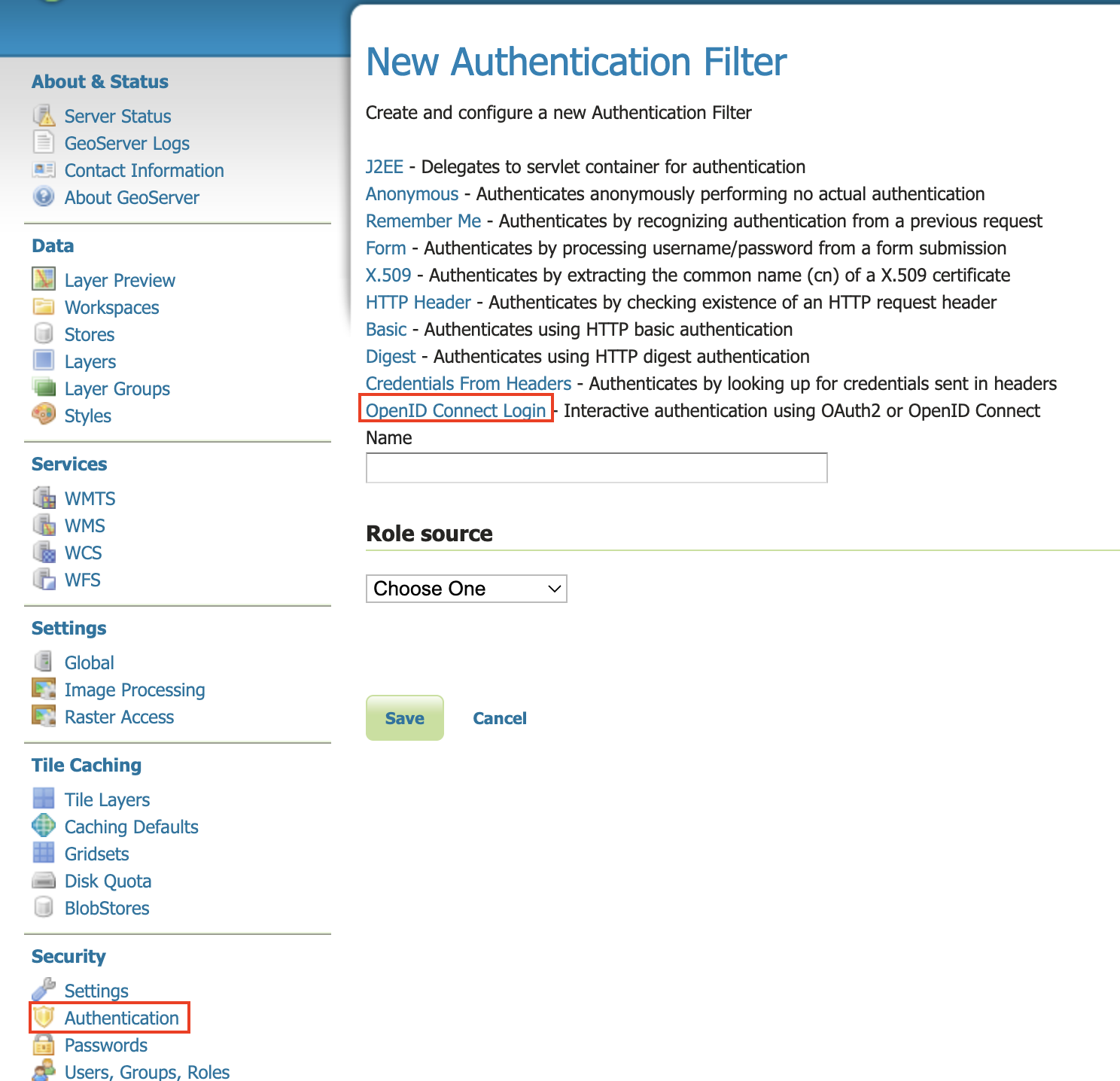
On the left bar under "Security", click "Authentication", and then "OpenID Connect Login"
-
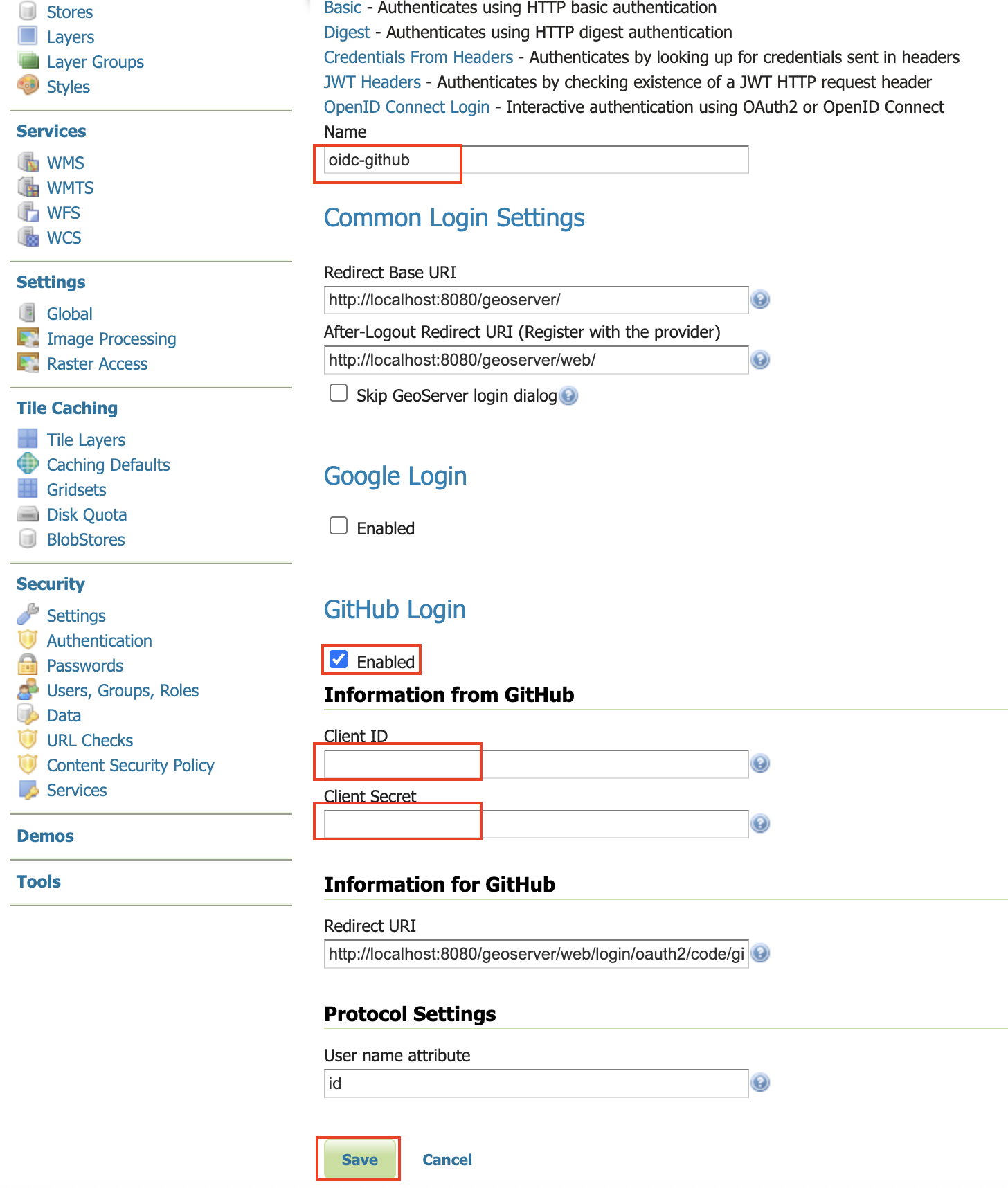
Give the it a name like "oidc-github", then from the Provider dropdown select GitHub and copy-and-paste in the Client ID and Client Secret (from when you configured the github client).
-
Go down to the bottom and configure the role source (if you want) - see role source. NOTE: GitHub's access token in Opaque (not a JWT) and it does NOT supply an ID Token (it is OAUTH2, not OIDC).
-
Press "Save"
Allow Web Access (Filter Chain)
-
On the left bar under "Security", click "Authentication", and then click "Web" under "Filter Chains"
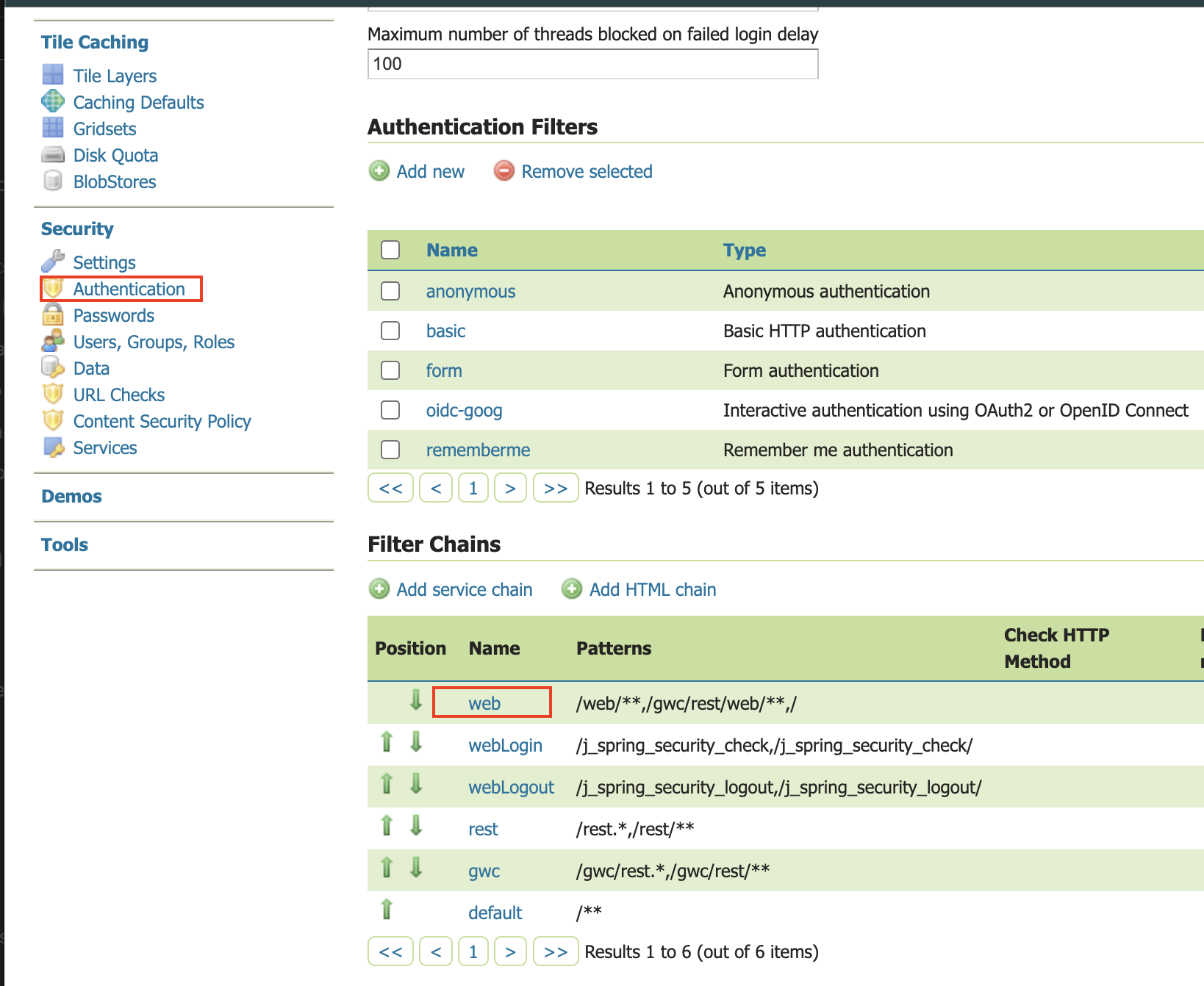
- Scroll down, and move the new GitHub OIDC Filter to the Selected side by pressing the "->" button.
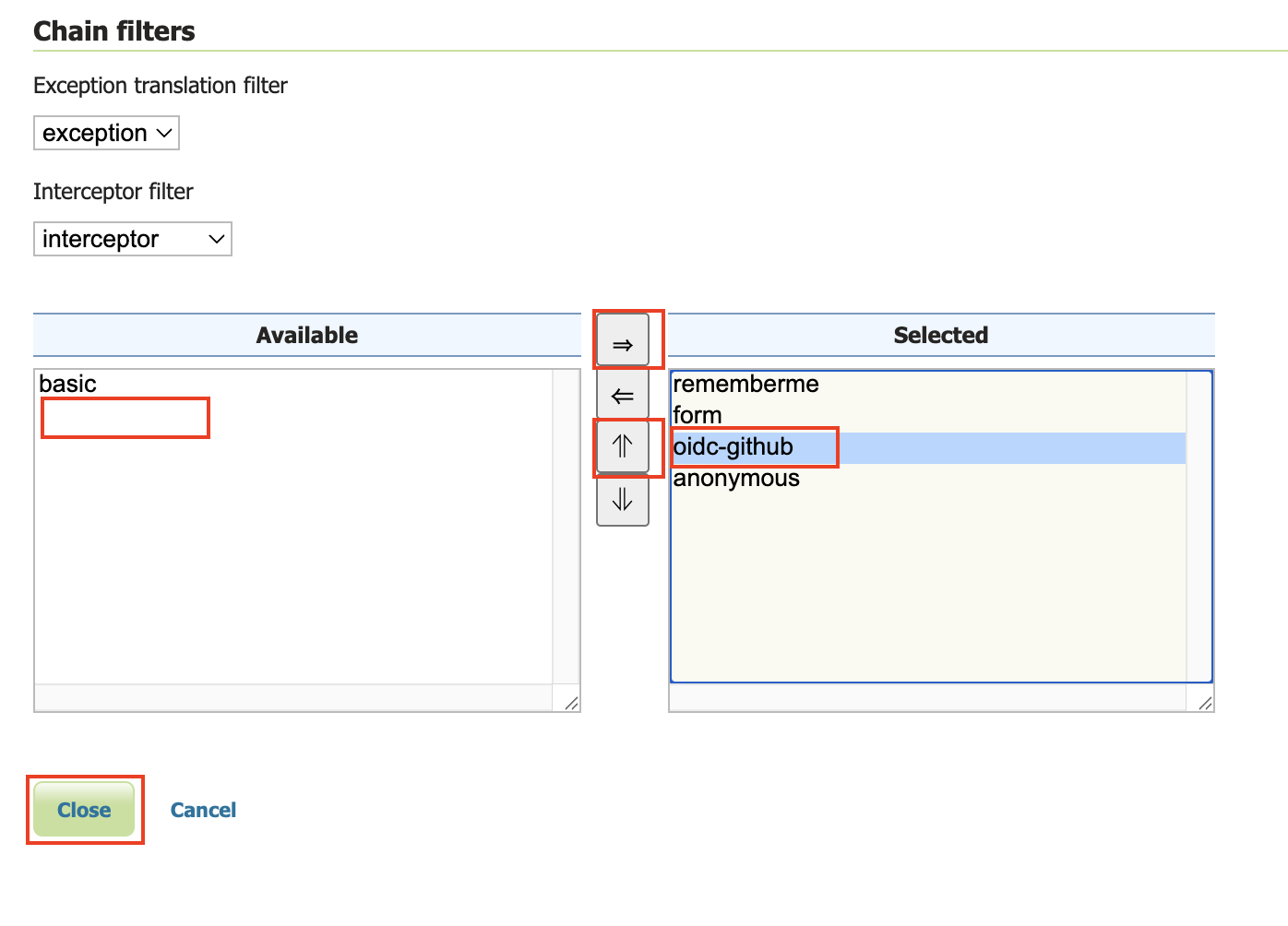
- Move the new GitHub OIDC Filter above "anonymous" by pressing the up arrow button (See above diagram).
- Press "Close"
- Press "Save"
Notes
See troubleshooting.
-
When you login, your username will be a number. For privacy reasons, GitHub does not usually include the email address of the user!

-
GitHub's Access Token is opaque, so configure roles
-
GitHub is OAUTH2-only (not OIDC) so it does not have an ID Token
-
GitHub does have userinfo
Example GitHub UserInfo:
{
    "login" : "davidblasby",
    "id" : 4893,
    "node_id" : "MDQ6VXNlcj",
    "avatar_url" : "https://avatars.githubusercontent.com/u/48937?v=4",
    "gravatar_id" : "",
    "url" : "https://api.github.com/users/davidblasby",
    "html_url" : "https://github.com/davidblasby",
    "followers_url" : "https://api.github.com/users/davidblasby/followers",
    "following_url" : "https://api.github.com/users/davidblasby/following{/other_user}",
    "gists_url" : "https://api.github.com/users/davidblasby/gists{/gist_id}",
    "starred_url" : "https://api.github.com/users/davidblasby/starred{/owner}{/repo}",
    "subscriptions_url" : "https://api.github.com/users/davidblasby/subscriptions",
    "organizations_url" : "https://api.github.com/users/davidblasby/orgs",
    "repos_url" : "https://api.github.com/users/davidblasby/repos",
    "events_url" : "https://api.github.com/users/davidblasby/events{/privacy}",
    "received_events_url" : "https://api.github.com/users/davidblasby/received_events",
    "type" : "User",
    "user_view_type" : "private",
    "site_admin" : false,
    "name" : "David Blasby",
    "company" : "@GeoCat",
    "blog" : "http://geocat.net",
    "location" : "BC, CANADA",
    "email" : "david.blasby+@geocat.net",
    "hireable" : null,
    "bio" : "Developer at @GeoCat",
    "twitter_username" : null,
    "notification_email" : "david.blasby+@geocat.net",
    "public_repos" : 23,
    "public_gists" : 0,
    "followers" : 4,
    "following" : 0,
    "created_at" : "2019-03-26T04:03:17Z",
    "updated_at" : "2025-10-01T18:36:02Z",
    "private_gists" : 0,
    "total_private_repos" : 0,
    "owned_private_repos" : 0,
    "disk_usage" : 2095,
    "collaborators" : 0,
    "two_factor_authentication" : true,
    "plan" : {
        "name" : "free",
        "space" : 97656,
        "collaborators" : 0,
        "private_repos" : 10000
    }
}