Composite and blending modes
There are two types of modes: alpha composite and color blending.
Alpha compositing controls how two images are merged together by using the alpha levels of the two. No color mixing is being performed, only pure binary selection (either one or the other).
Color blending modes mix the colors of source and destination in various ways. Each pixel in the result will be some sort of combination between the source and destination pixels.
The following page shows the full list of available modes. (See the syntax page for more details.) To aid in comprehension, two source and two destination images will be used to show visually how each mode works:
| Source 1 | Source 2 |
|---|---|
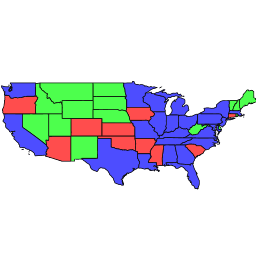 |
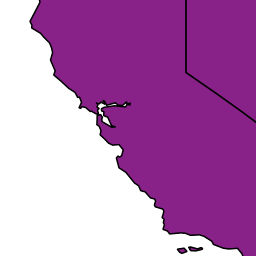 |
| Destination 1 | Destination 2 |
|---|---|
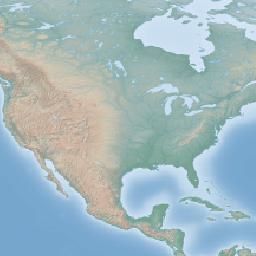 |
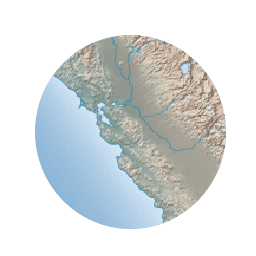 |
Alpha compositing modes
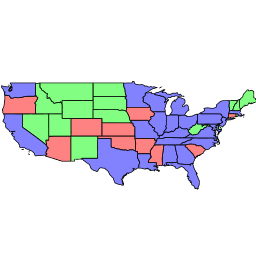
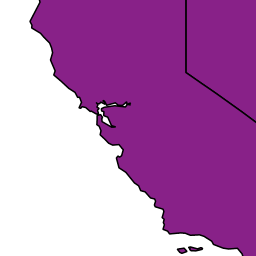
copy
Only the source will be present in the output.
| Example 1 | Example 2 |
|---|---|
 |
 |
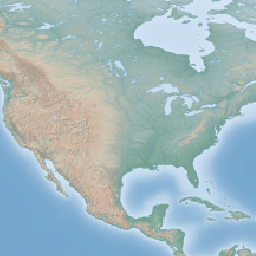
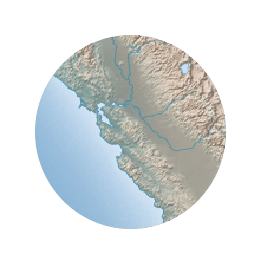
destination
Only the destination will be present in the output
| Example 1 | Example 2 |
|---|---|
 |
 |
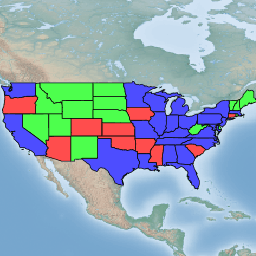
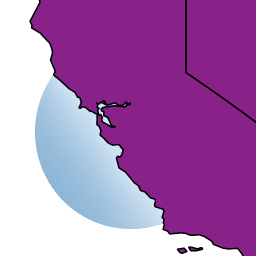
source-over
The source is drawn over the destination, and the destination is visible where the source is transparent. Opposite of destination-over.
| Example 1 | Example 2 |
|---|---|
 |
 |
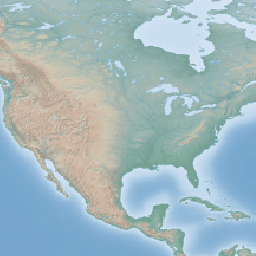
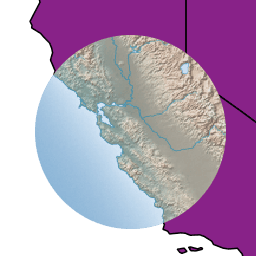
destination-over
The source is drawn below the destination, and is visible only when the destination is transparent. Opposite of source-over.
| Example 1 | Example 2 |
|---|---|
 |
 |
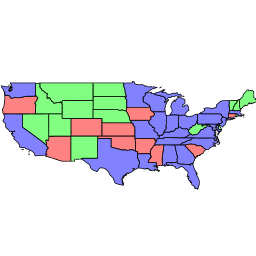
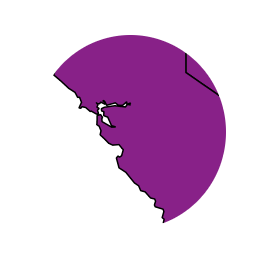
source-in
The source is visible only when overlapping some non-transparent pixel of the destination. This allows the background map to act as a mask for the layer/feature being drawn. Opposite of destination-in.
| Example 1 | Example 2 |
|---|---|
 |
 |
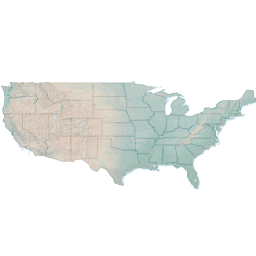
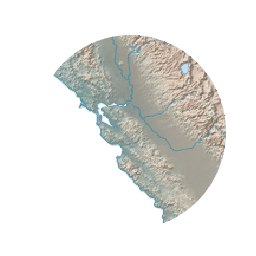
destination-in
The destination is retained only when overlapping some non transparent pixel in the source. This allows the layer/feature to be drawn to act as a mask for the background map. Opposite of source-in.
| Example 1 | Example 2 |
|---|---|
 |
 |
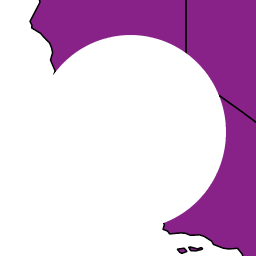
source-out
The source is retained only in areas where the destination is transparent. This acts as a reverse mask when compared to source-in.
| Example 1 | Example 2 |
|---|---|
 |
 |
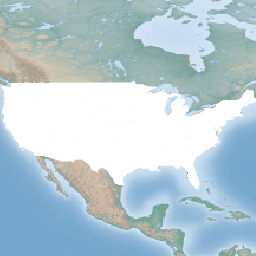
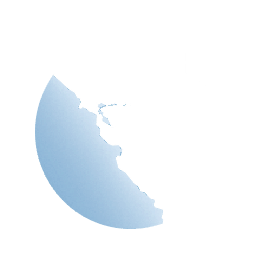
destination-out
The destination is retained only in areas where the source is transparent. This acts as a reverse mask when compared to destination-in.
| Example 1 | Example 2 |
|---|---|
 |
 |
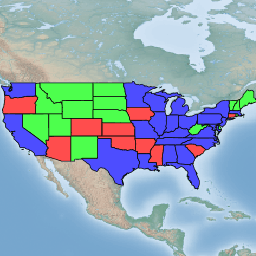
source-atop
The destination is drawn fully, while the source is drawn only where it intersects the destination.
| Example 1 | Example 2 |
|---|---|
 |
 |
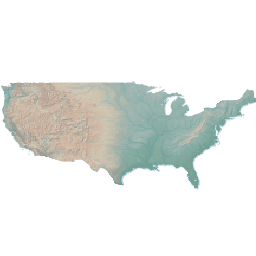
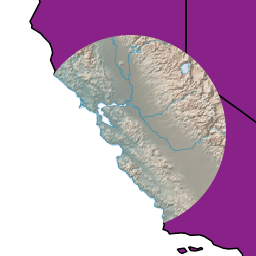
destination-atop
The source is drawn fully, and the destination is drawn over the source and only where it intersects it.
| Example 1 | Example 2 |
|---|---|
 |
 |
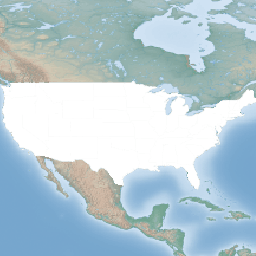
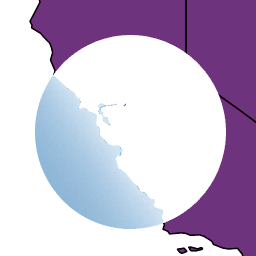
xor
"Exclusive Or" mode. Each pixel is rendered only if either the source or the destination is not blank, but not both.
| Example 1 | Example 2 |
|---|---|
 |
 |
Color blending modes
multiply
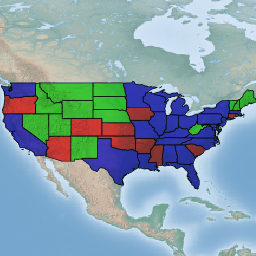
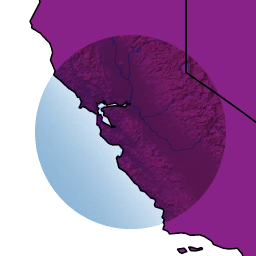
The source color is multiplied by the destination color and replaces the destination. The resulting color is always at least as dark as either the source or destination color. Multiplying any color with black results in black. Multiplying any color with white preserves the original color.
| Example 1 | Example 2 |
|---|---|
 |
 |
screen
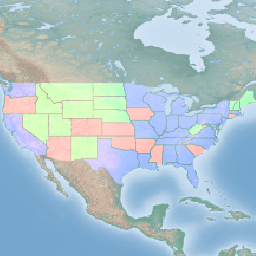
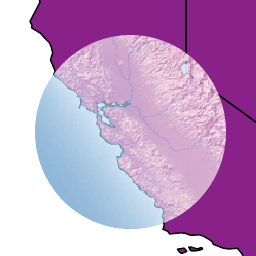
Multiplies the complements of the source and destination color values, then complements the result. The end result color is always at least as light as either of the two constituent colors. Screening any color with white produces white; screening with black leaves the original color unchanged.
The effect is similar to projecting multiple photographic slides simultaneously onto a single screen.
| Example 1 | Example 2 |
|---|---|
 |
 |
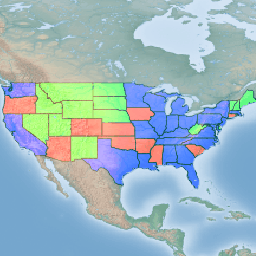
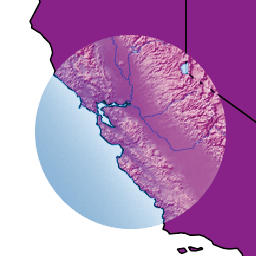
overlay
Multiplies (screens) the colors depending on the destination color value. Source colors overlay the destination while preserving its highlights and shadows. The backdrop color is not replaced but is mixed with the source color to reflect the lightness or darkness of the backdrop.
| Example 1 | Example 2 |
|---|---|
 |
 |
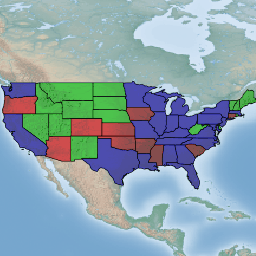
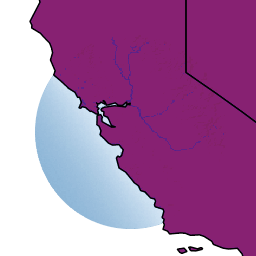
darken
Selects the darker of the destination and source colors. The destination is replaced with the source only where the source is darker.
| Example 1 | Example 2 |
|---|---|
 |
 |
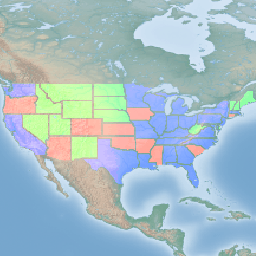
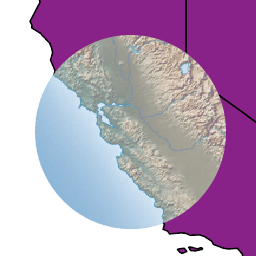
lighten
Selects the lighter of the destination and source colors. The destination is replaced with the source only where the source is lighter.
| Example 1 | Example 2 |
|---|---|
 |
 |
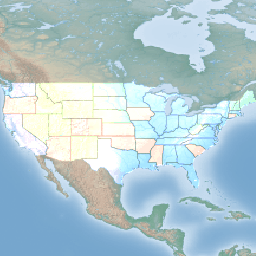
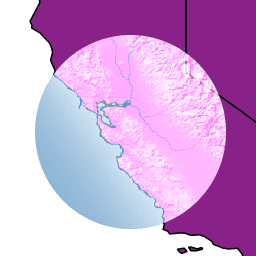
color-dodge
Brightens the destination color to reflect the source color. Drawing with black produces no changes.
| Example 1 | Example 2 |
|---|---|
 |
 |
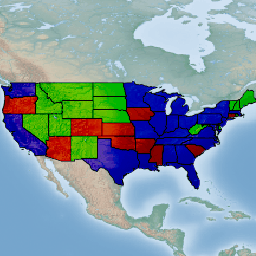
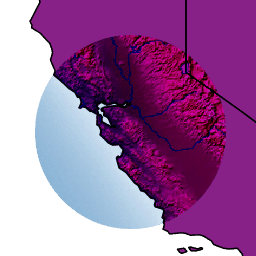
color-burn
Darkens the destination color to reflect the source color. Drawing with white produces no change.
| Example 1 | Example 2 |
|---|---|
 |
 |
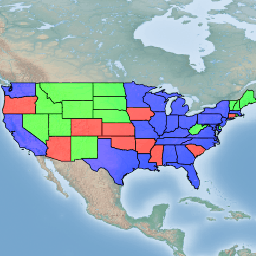
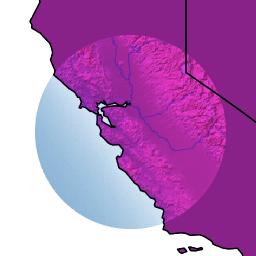
hard-light
Multiplies or screens the colors, depending on the source color value. The effect is similar to shining a harsh spotlight on the destination.
| Example 1 | Example 2 |
|---|---|
 |
 |
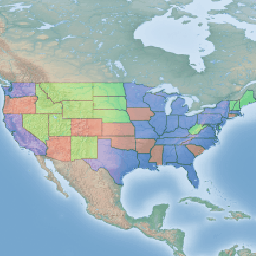
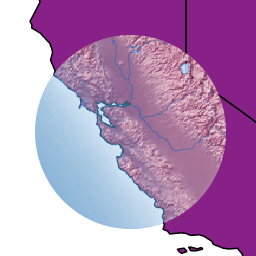
soft-light
Darkens or lightens the colors, depending on the source color value. The effect is similar to shining a diffused spotlight on the destination.
| Example 1 | Example 2 |
|---|---|
 |
 |
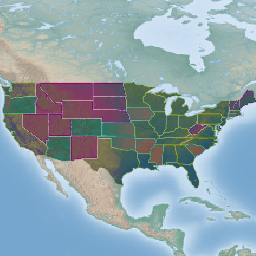
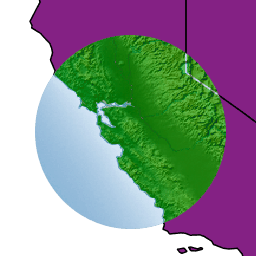
difference
Subtracts the darker of the two constituent colors from the lighter color. White inverts the destination color; black produces no change.
| Example 1 | Example 2 |
|---|---|
 |
 |
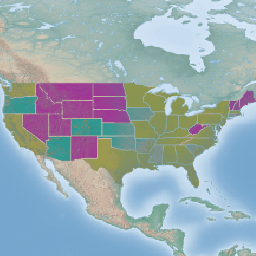
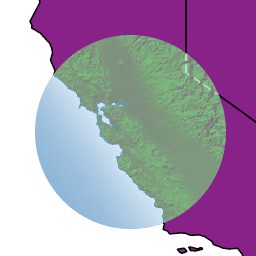
exclusion
Produces an effect similar to that of difference but lower in contrast. White inverts the destination color; black produces no change.
| Example 1 | Example 2 |
|---|---|
 |
 |