Docker Container
Geoserver is also packaged as a Docker Container. For more details, see the Geoserver Docker Container Project.
See the README.md file for more technical information.
Quick Start
This will run the container, with the data directory included with the container:
Make sure you have Docker installed.
Download the container:
These instructions are for GeoServer 2.28-SNAPSHOT which is provided as a Nightly release. Testing a Nightly release is a great way to try out new features, and test community modules. Nightly releases change on an ongoing basis and are not suitable for a production environment.
docker pull docker.osgeo.org/geoserver:2.28.x
Run the container
docker run -it -p8080:8080 docker.osgeo.org/geoserver:2.28.x
In a web browser, navigate to
http://localhost:8080/geoserver.If you see the GeoServer Welcome page, then GeoServer is successfully installed.
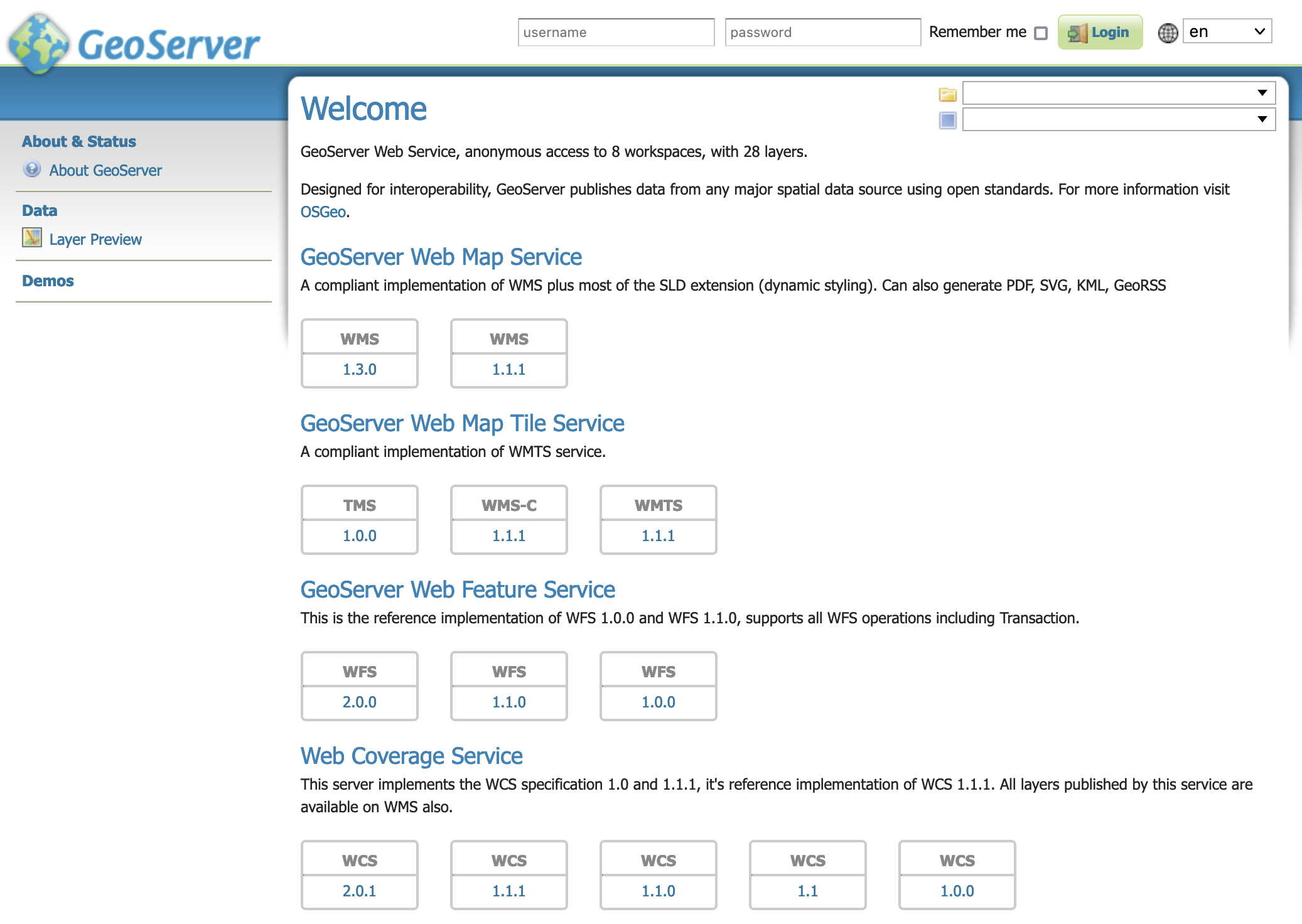
GeoServer Welcome Page
This setup is a quick test to ensure the software is working, but is difficult to use as file data can only be transferred to the data directory included with the container via the REST API.
Using your own Data Directory
This will run the container with a local data directory. The data directory will be mounted into the docker container.
Note
Change /MY/DATADIRECTORY to your data directory. If this directory is empty it will be populated with the standard Geoserver Sample Data Directory.
Make sure you have Docker installed.
Download the container
docker pull docker.osgeo.org/geoserver:2.28.x
Run the container
docker run -it -p8080:8080 \
  --mount type=bind,src=/MY/DATADIRECTORY,target=/opt/geoserver_data \
  docker.osgeo.org/geoserver:2.28.x
In a web browser, navigate to
http://localhost:8080/geoserver.If you see the GeoServer Welcome page, then GeoServer is successfully installed.
GeoServer Welcome Page
This setup allows direct management of the file data shared with the container. This setup is also easy to update to use the latest container.
Adding GeoServer Extensions
You can add GeoServer Extensions - the container will download them during startup.
docker run -it -p8080:8080 \
  --env INSTALL_EXTENSIONS=true \
  --env STABLE_EXTENSIONS="ysld,ogcapi-features" \
  docker.osgeo.org/geoserver:2.28.x
This will download and install the YSLD and OGCAPI - Features extension.
Here is a list of available extensions (taken from the build server):
app-schema               grib                     ogr-wps
authkey                  gwc-s3                   oracle
cas                      h2                       params-extractor
charts                   iau                      printing
control-flow             importer                 pyramid
css                      inspire                  querylayer
csw-iso                  jp2k                     rat
csw                      libjpeg-turbo            sldservice
db2                      mapml                    sqlserver
dxf                      mbstyle                  vectortiles
excel                    metadata                 wcs2_0-eo
feature-pregeneralized   mongodb                  web-resource
gdal                     monitor                  wmts-multi-dimensional
geofence                 mysql                    wps-cluster-hazelcas
geofence-server-h2       netcdf-out               wps-download
geofence-server-postgres netcdf                   wps-jdbc
geofence-wps             ogcapi-features          wps
geopkg-output            ogr-wfs                  ysld
datadir-catalog-loader
Testing Geoserver Community modules
Working with a Nightly build is a good way to test community modules and provide feedback to developers working on new functionality.
To work with community modules you must be using the GeoServer 2.28.x nightly build that matches the community module build:
docker run -it -p8080:8080 \
  --env INSTALL_EXTENSIONS=true \
  --env STABLE_EXTENSIONS="ysld,h2" \
  --env COMMUNITY_EXTENSIONS="ogcapi-images,ogcapi-maps,ogcapi-styles,ogcapi-tiles" \
  docker.osgeo.org/geoserver:2.28.x
For the current list see GeoServer build server.
acl                           gwc-sqlite                      opensearch-eo
activeMQ-broker               hz-cluster                      png-wind
backup-restore                importer-jdbc                   proxy-base-ext
cog-azure                     jdbcconfig                      s3-geotiff
cog-google                    jdbcstore                       sec-keycloak
cog-http                      jms-cluster                     sec-oauth2-geonode
cog-s3                        libdeflate                      sec-oauth2-github
colormap                      mbtiles                         sec-oauth2-google
cov-json                      mbtiles-store                   sec-oauth2-openid
dds                           mongodb-schemaless              smart-data-loader
elasticsearch                 monitor-kafka                   solr
features-autopopulate         ncwms                           spatialjson
features-templating           netcdf-ghrsst                   stac-datastore
flatgeobuf                    notification                    taskmanager-core
gdal-wcs                      ogcapi-coverages                taskmanager-s3
gdal-wps                      ogcapi-dggs                     vector-mosaic
geopkg                        ogcapi-images                   vsi
gpx                           ogcapi-maps                     webp
graticule                     ogcapi-styles                   wfs-freemarker
gsr                           ogcapi-tiled-features           wps-longitudinal-profile
gwc-azure-blobstore           ogcapi-tiles                    wps-remote
gwc-mbtiles                   ogr-datastore