WorldImage
Note
GeoServer does not come built-in with support for WorldImage; it must be installed through an extension. Proceed to Installing the WorldImage extension for installation details.
A world file is a plain text file used to georeference raster map images. This file (often with an extension of .jgw or .tfw) accompanies an associated image file (.jpg or .tif). Together, the world file and the corresponding image file is known as a WorldImage in GeoServer.
Installing the WorldImage extension
Visit the website download page, locate your release, and download:
3.0-SNAPSHOT geoserver-3.0-SNAPSHOT-image-plugin.zip
Warning
Ensure to match plugin (example 2.28.0 above) version to the version of the GeoServer instance.
Extract the contents of the archive into the
WEB-INF/libdirectory of the GeoServer installation.
Adding a WorldImage data store
Once the extension is properly installed WorldImage will be an option in the Raster Data Sources list when creating a new data store.

WorldImage in the list of raster data stores
Configuring a WorldImage data store
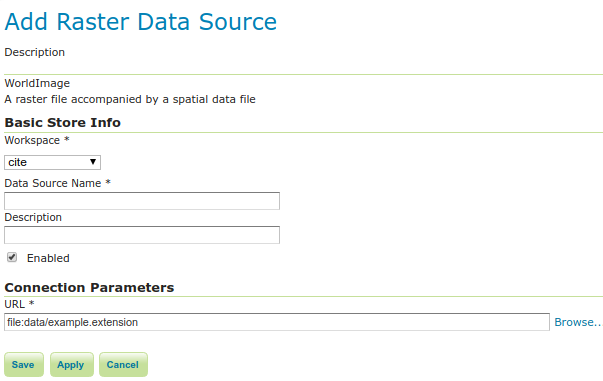
Configuring a WorldImage data store
Option |
Description |
|
|
|
|
|
|
|
|
|