Make cluster nodes identifiable from the GUI
When running one or more clusters of GeoServer installations it is useful to identify which cluster (and eventually which node of the cluster) one is working against by just glancing at the web administration UI.
It can also be used to display the Git branch the node is running from, which can be useful when testing new features or bug fixes.
This is possible by setting one variable, GEOSERVER_NODE_OPTS, with one of the supported
mechanisms (in order of priority):
Java System Properties
Web Application context parameters
System Environmental Variables
GEOSERVER_NODE_OPTS is a semicolon separated list of key/value pairs and it can contain the following keys:
id: the string identifying the node, which in turn can be a static string, or include the following substitution tokens
$host_ip: the IP address of the node
$host_name: the hostname of the node
$host_short_name: the hostname truncated to not include the domain (foo.localbecomesfoo)
$host_compact_name: the hostname with all domain parts shortened to their first character (foo.localbecomesfoo.l)
$git_branch: the Git branch name (requires the.gitfolder to be present in the GEOSERVER_DATA_DIR, its immediate parent or the current working directory)
color: the label color, as a CSS color
background: the background color, as a CSS color
Here are some examples:
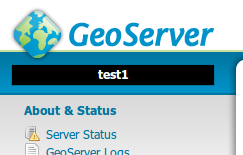
GEOSERVER_NODE_OPTS=”id:test1;background:black;color:white”
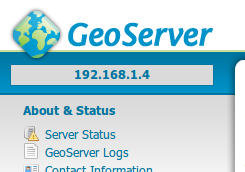
GEOSERVER_NODE_OPTS=”id:$host_ip”
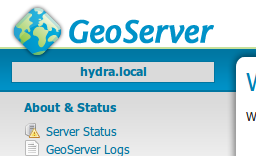
GEOSERVER_NODE_OPTS=”id:$host_name”